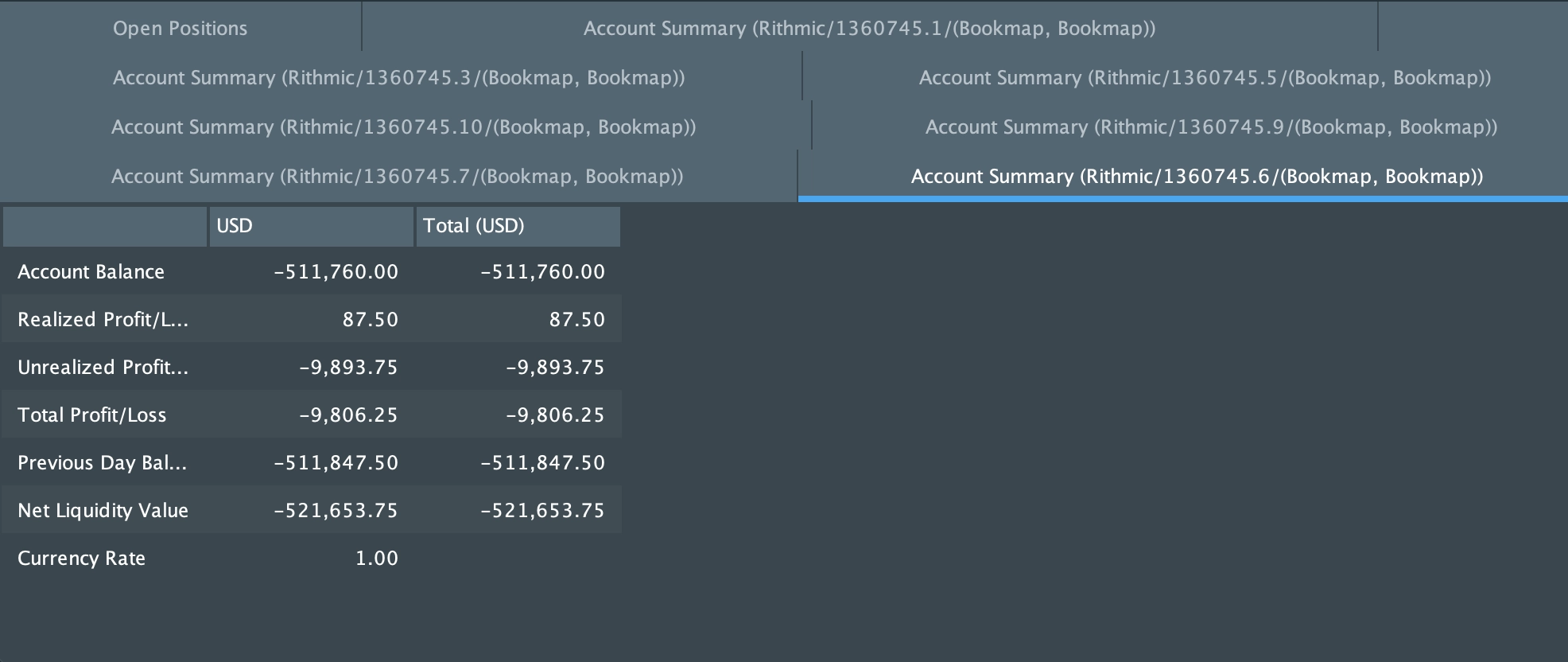
Account information dialog
Account Info Dialog
The Account Info dialog provides a centralized view of a trader's account activity and positions. It is available only in live trading mode (not accessible in replay or simulation).
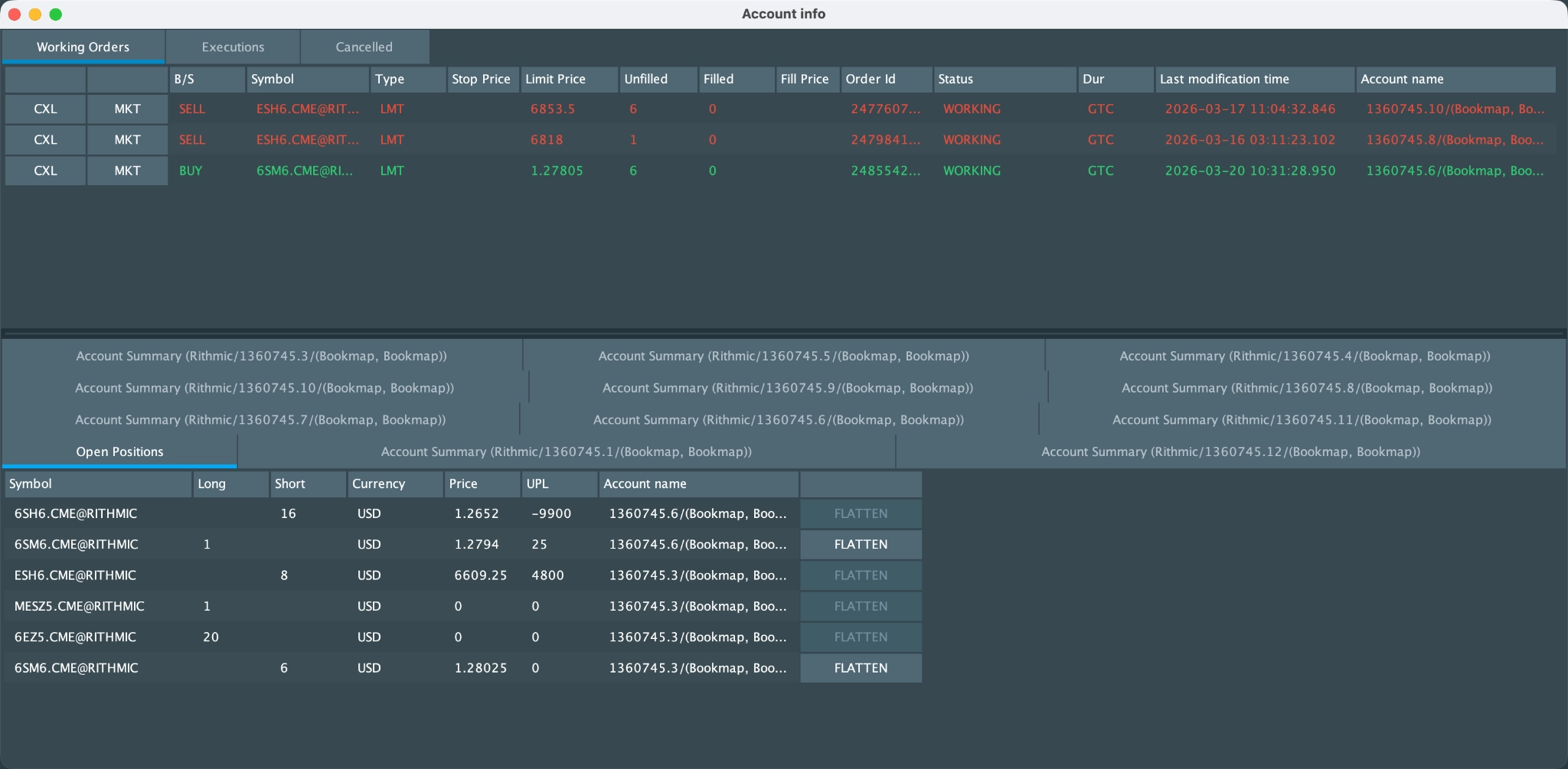
Key Sections
1. Orders & Executions
The top panel contains three tabs:
- Working Orders - Active orders currently in the market.
- Includes action buttons:
- CXL - Cancel the order
- MKT - Execute the order at market price
- Includes action buttons:

- Executions - History of filled trades

- Cancelled - History of canceled orders

Each tab displays detailed information such as symbol, order type, price, quantity, status, and timestamps.
2. Account & Position Overview
The bottom panel allows switching between:
- Open Positions
- Displays all current positions across active connections only
- Shows size, price, unrealized P/L, and account
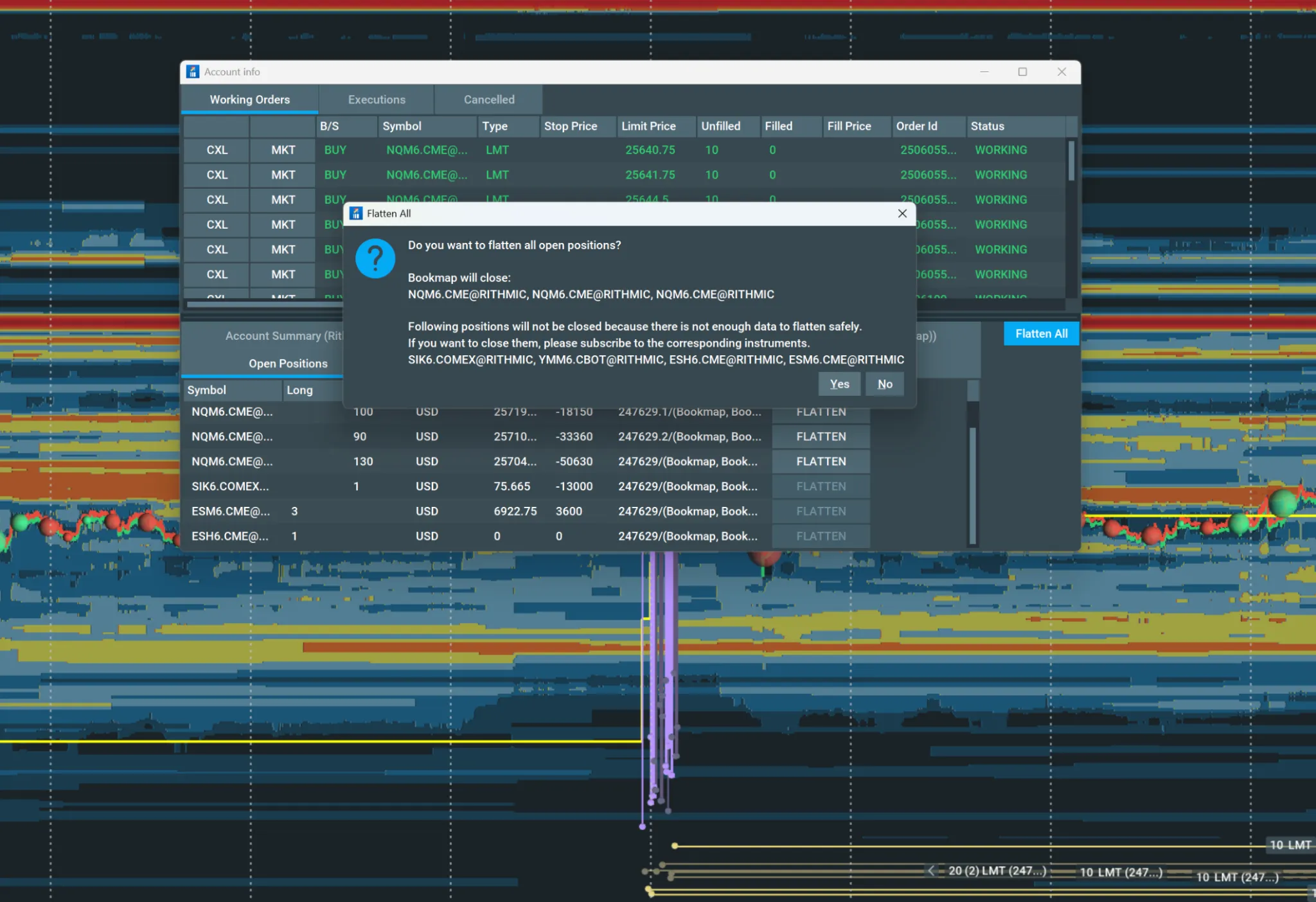
- Includes FLATTEN action to close positions
- Flatten individual positions
- Flatten all open positions at once
- Account Summary
- Provides per-account financial metrics, including:
- Balance
- Realized and unrealized P/L
- Net liquidity
- Users can switch between multiple accounts
- Provides per-account financial metrics, including: