


See real time more clearly in real time.
Compare plans to access deeper market visibility for real time.
Education
August 11, 2026
Updated
Best Platforms for Trading Futures: What Traders Should Look For
Choosing the right platform is one of the most important decisions a futures trader makes. A good platform should provide fast market data, reliable execution, and tools that help you understand market structure and liquidity. While many traders search for the best platforms for trading futures, the reality is that the strongest setups usually combine a regulated brokerage account with a specialized analysis platform.
This page covers what defines a high-quality futures trading platform, which features matter most, and how Bookmap supports traders who want a deeper, more accurate view of the futures markets.
Table of Contents
- What Is a Futures Trading Platform?
- What Traders Look For in a Futures Platform
- Choosing a Futures Broker
- Key Criteria for Selecting a Futures Trading Platform
- Understanding Margin Requirements
- Top-Rated Futures Brokers & Day Trading Margin Requirements
- NinjaTrader vs. Tradovate vs. Interactive Brokers: Pricing Comparison
- CFTC/NFA-Regulated Futures Brokers: Safe, Segregated Custody
- Lowest-Commission Micro E-Mini Futures Trading Software
- Live Data Feeds and Platform Connectivity
- Bookmap as a Futures Trading Platform
- Tracking Institutional Order Flow
- Best Futures Trading Platform for Low-Latency Order Execution
- Browser-Based vs Desktop Futures Platforms
- Futures Trading Mobile App: Order Entry, Ladder & Chart Execution
- Best Futures Trading Platform for Beginners
- Futures Brokers & Prop Firm Account Integration: What to Evaluate
- Best Futures Broker for Beginner Automated Strategy Backtesting
- How to Start Trading Futures
- Markets Supported by Futures Trading Platforms
- Options on Futures Trading Software: Risk Profile Graphs & Multi-Leg Analysis
- Why Order Flow Matters in Futures Trading
- Features That Help Futures Traders Perform Better
- Unbiased Trader Consensus: Best Futures Platform Software
- 5 Strategic Steps for Setting Up Your Futures Trading Workspace
- Bookmap Reviews from Futures Traders
- FAQ
Understanding Futures Trading Platforms
A futures trading platform allows traders to access exchange-listed derivatives, place and manage orders, and analyze real-time price behavior. The best platforms offer a blend of execution tools, charting, market depth information, and reliable connectivity. They also integrate with regulated brokers and market data providers.
Some traders use all-in-one brokerage platforms, while others prefer dedicated analysis software paired with separate execution. Bookmap falls into the latter category: a specialized platform for order flow, market liquidity, and deep market structure analysis.
Watch: How to Place Trades in Bookmap
Understanding how orders are placed and executed is a key part of futures trading. This short walkthrough shows how traders interact with the market in real time and how execution connects to market structure.
Best Futures Trading Platform
When evaluating the best futures trading platform, traders are typically comparing a combination of execution quality, data accuracy, and analytical depth.
Most professional setups are not based on a single tool. Instead, they combine:
- A regulated brokerage for execution
- A market data provider
- A specialized analysis platform
The goal is not just placing trades — it is understanding how price moves and where liquidity is positioned.
Choosing a Futures Broker
When selecting a futures broker, execution quality is only one part of the decision. Traders should also evaluate margin requirements, supported exchanges, available data feeds, platform integrations, commissions, and customer support.
Many beginners start with brokers that support Micro E-mini contracts because they require less capital than standard contracts while providing exposure to the same underlying markets.
Rather than searching only for the lowest commissions, traders should consider the complete trading experience, including platform compatibility, data quality, and execution reliability.
Key Criteria for Selecting a Futures Trading Platform
Stripped down, most platform decisions come back to five criteria: execution quality (fill speed and reliability), data quality (real-time versus delayed, and how much depth is included), cost structure (commissions, data fees, and platform fees, calculated as a total rather than compared line by line), regulatory standing (whether the broker is properly registered and segregates client funds), and analytical depth (whether the platform shows genuine order flow and market depth, or just price and volume).
No single platform tends to lead on all five — which is why, as covered above, most serious setups combine a regulated execution broker with a separate, specialized analysis platform rather than relying on one tool for everything.
Understanding Margin Requirements
Margin requirements vary depending on the broker, contract, market volatility, and whether positions are held intraday or overnight.
Before opening a position, traders should understand:
- initial margin requirements
- maintenance margin requirements
- overnight margin policies
- liquidation procedures
- position sizing based on account risk
Lower margin requirements increase buying power but also increase exposure to losses. Professional traders typically size positions according to predefined risk limits rather than simply using the maximum leverage available.
Top-Rated Futures Brokers & Day Trading Margin Requirements
Margin requirements vary meaningfully by broker on top of the exchange’s own baseline figures — brokers commonly add their own buffer above CME’s minimums, and day-trading (intraday) margin is typically a fraction of the overnight figure. Rather than comparing brokers on advertised day-trading margin alone, it’s worth checking three things together: the day-trading margin figure itself, how quickly it reverts to the higher overnight requirement, and whether the broker has a track record of adjusting margin requirements suddenly during volatile periods (a real risk that’s caught traders off guard during fast markets).
Since margin schedules change with volatility and get updated by brokers periodically, check a broker’s current published margin schedule directly rather than relying on a fixed figure from any article, including this one.
NinjaTrader vs. Tradovate vs. Interactive Brokers: Pricing Comparison
Worth knowing before comparing these by price alone: NinjaTrader acquired Tradovate in 2022, and Kraken acquired the entire NinjaTrader Group in 2025. NinjaTrader and Tradovate now share the same brokerage, login credentials, margin schedules, and commission tiers — the choice between them is a choice of front-end (desktop vs. browser/mobile), not a choice of broker.
- NinjaTrader — desktop-focused, Windows-native, with deep charting customization and NinjaScript automation. Commission tiers roughly range from $0.09–$0.39 per side on micro contracts and $0.59–$1.29 per side on standard contracts, depending on subscription tier (free vs. paid monthly/lifetime plans).
- Tradovate — the same brokerage, browser- and mobile-native, popular with traders who want cross-device access or already work inside TradingView. Commission tiers mirror NinjaTrader’s, from roughly $0.09 per side (lifetime plan) up to around $2.20–$2.50 per side on the free plan before volume discounts.
- Interactive Brokers — a separate, broader multi-asset broker. Typically the lowest per-contract cost at high volume (commonly cited around $0.25 per contract for major futures at 10,000+ contracts/month), but standard-tier commissions for lower-volume traders run higher, and the platform’s overall complexity is generally considered steeper for futures-only beginners.
All three pass through separate exchange, clearing, and NFA regulatory fees on top of the platform’s own commission — typically an additional $0.19–$0.25 per side regardless of which platform or tier is used. Compare total cost per round-turn trade, not the headline commission figure alone, and confirm current rates directly with each broker before treating any number here as fixed.
CFTC/NFA-Regulated Futures Brokers: Safe, Segregated Custody
US futures brokers are required to register as Futures Commission Merchants (FCMs) with the Commodity Futures Trading Commission (CFTC) and are overseen by the National Futures Association (NFA), the industry’s self-regulatory body. Registered FCMs are required to keep client funds in segregated accounts, separate from the firm’s own operating capital — a protection specifically intended to keep client funds safer in the event of the broker’s own financial trouble.
Before opening an account, confirming a broker’s CFTC/NFA registration status directly through the NFA’s public BASIC database is a reasonable, low-effort verification step, particularly for less familiar or newer brokers.
Lowest-Commission Micro E-Mini Futures Trading Software
Micro E-mini contracts (MES, MNQ, MYM, M2K) carry proportionally lower commissions on most platforms alongside their lower margin requirements, since exchange fees typically scale with contract size. On tiered-commission platforms like NinjaTrader and Tradovate, the lowest published micro rates are generally reserved for higher-volume subscription tiers rather than free/entry-level accounts — worth checking the full tier schedule rather than the headline lowest rate, which usually requires either a paid monthly plan or a lifetime license to access.
What Traders Look For in a Futures Platform

Most traders compare futures trading platforms based on far more than chart appearance. The right platform should provide accurate market data, dependable execution, flexible connectivity, and analytical tools that match the trader’s strategy.
When evaluating a platform, traders typically consider:
- real-time market data quality
- order execution reliability
- available technical analysis tools
- order flow and liquidity visualization
- compatibility with brokers and market data providers
- historical data access
- customization options
- overall platform stability during volatile markets
Many professional traders separate execution from analysis by combining a brokerage account with specialized futures market analysis software. This approach allows them to use the execution platform they prefer while leveraging more advanced market visualization tools for trade planning.
Live Data Feed Costs
Real-time market data is one of the most important components of any futures trading setup. While platform subscriptions receive much of the attention, exchange data fees are often a larger ongoing expense.
Depending on the market being traded, traders may subscribe to:
- Level 1 market data
- Level 2 or full depth-of-market data
- Market-by-Order (MBO) data
- historical market data
- additional exchange-specific products
Many traders also connect separate market data providers to independent charting platforms, allowing them to choose the combination of execution, visualization, and data quality that best fits their workflow.
Tracking Institutional Order Flow
Traditional charts display completed price movement, but they provide limited information about how liquidity is evolving while the market is trading.
Many futures traders monitor institutional activity by observing:
- changes in visible liquidity
- large resting orders
- aggressive buying and selling
- order book imbalances
- market-by-order activity
Bookmap’s heatmap visualizes these changes in real time, helping traders identify areas where larger participants may be actively adding, removing, or executing liquidity before those actions become visible on standard price charts.
Bookmap as a Futures Trading Platform
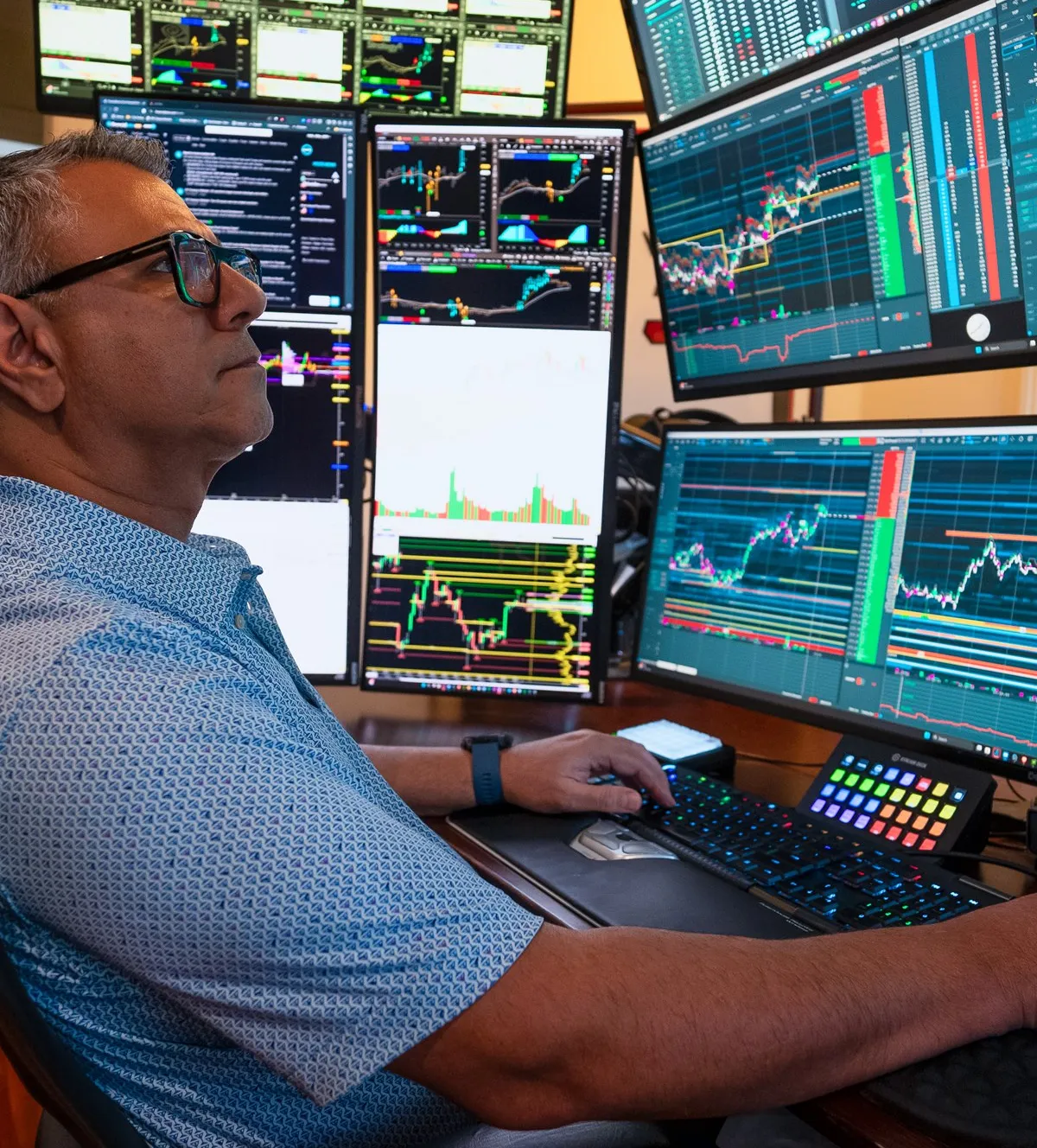
Bookmap provides advanced visualization tools designed to give traders clarity in fast-moving markets. Rather than relying on standard candles or delayed indicators, the platform exposes real-time liquidity, order flow changes, and hidden behavior that drives price movement.
Key capabilities include:
- Real-time order flow transparency
- Liquidity heatmap showing historical and live order book updates
- Cumulative volume delta
- Market-by-order (MBO) data support
- Full depth-of-market visualization
- High-granularity updates
- Compatibility with major futures markets, including E-mini and Micro E-mini contracts
These tools help traders time entries, understand momentum, and identify areas where institutional liquidity may influence price.
Rather than functioning as a standalone brokerage interface, Bookmap is typically used alongside a broker to enhance visibility into market behavior. This separation allows traders to focus on execution while using Bookmap for deeper analysis.
High-Frequency Execution Tools
Modern futures markets are heavily influenced by algorithmic and high-frequency trading activity.
Understanding this environment is critical when interpreting price movement and liquidity behavior.
For a deeper breakdown of how high-frequency trading impacts order flow, see:
https://bookmap.com/blog/navigating-the-market-high-frequency-trading-influence-on-order-flow-explained
These tools and concepts help traders:
- Identify rapid liquidity changes
- Understand short-term volatility
- Avoid reacting to false moves
Best Futures Trading Platform for Low-Latency Order Execution
Latency matters differently depending on trading style — a swing trader holding positions for hours is far less exposed to a few milliseconds of execution delay than a scalper working the same handful of ticks repeatedly. For latency-sensitive strategies, the meaningful factors are the broker’s order-routing infrastructure, the platform’s own processing overhead, and physical proximity to the exchange’s matching engine (co-located or low-latency VPS hosting is common among serious intraday futures traders).
Low latency alone doesn’t solve the harder problem of knowing where to execute, though — that requires seeing the order flow itself. See Bookmap’s day trading futures guide for how execution speed and order flow analysis work together in practice.
Do You Need API Connectivity?
Some traders require direct access to market data and execution through APIs.
For more details, see:
https://bookmap.com/knowledgebase/docs/API
API access is typically used for:
- Algorithmic trading
- Custom analytics
- Data integration
What Is Your Experience Level?
Platform requirements vary significantly by experience level:
- Beginners → prioritize simplicity, stability, and clear visuals
- Intermediate → focus on combining charts with order flow
- Advanced → require depth of market, MBO data, and execution precision
Browser-Based and Desktop Futures Platforms
Some traders prefer browser-based futures platforms because they provide convenient access from multiple devices with minimal setup.
Others prefer professional desktop platforms that offer:
- faster data processing
- advanced chart customization
- greater analytical flexibility
- lower latency
- support for large amounts of real-time market data
The best choice depends on trading style. Traders who rely heavily on order flow and detailed market visualization often prefer desktop environments, while investors and less active traders may value the convenience of browser-based platforms.
Futures Trading Mobile App: Order Entry, Ladder & Chart Execution
Mobile futures trading apps have improved significantly, but most still trade off some functionality against convenience — full DOM ladder trading (clicking directly on price levels to place orders) is harder to execute precisely on a small touchscreen than on desktop, and advanced order flow visualization generally requires more screen space than a phone provides comfortably.
For traders who need to monitor or adjust positions away from a desk, a mobile app with reliable order entry and push alerts is usually sufficient. For active intraday execution relying on ladder trading or detailed order flow reads, desktop remains the stronger environment for most trading styles.
Who Bookmap Is Designed For
Bookmap is used by a wide range of futures traders:
- Traders who rely on order flow and liquidity
- Traders who want real-time market data feeds with minimal latency
- Traders who operate in markets like E-mini S&P 500, crude oil, gold, or Nasdaq futures
- Traders who want more market structure clarity than traditional charts provide
Beginners can use Bookmap to understand market movements more clearly, while experienced traders use it to refine timing and reduce uncertainty around entries and exits.
Best Futures Trading Platform for Beginners
Beginners are usually better served prioritizing three things over advanced features: a genuine paper-trading/simulation environment, straightforward account funding and margin transparency, and platform stability that doesn’t require deep customization just to see a clean chart. Advanced order flow tools, automation, and Level 2/MBO depth are valuable, but they add real complexity — worth growing into once the fundamentals (order types, margin mechanics, basic risk management) are comfortable, rather than starting with the most feature-dense platform available.
Futures Brokers & Prop Firm Account Integration: What to Evaluate
Traders working with a proprietary trading firm (prop firm) funded account have a narrower set of considerations than a self-funded retail account: whether the firm’s evaluation and funded-account rules allow connecting third-party analysis software like Bookmap, whether the data feed the firm provides supports full market depth (not just Level 1 pricing), and whether the firm’s platform restrictions (some require trading through a specific proprietary interface) are compatible with the analysis tools a trader wants to use.
This is worth confirming directly with a given prop firm before assuming compatibility — funded-account rules on third-party software integration vary significantly firm to firm and change periodically.
Best Futures Broker for Beginner Automated Strategy Backtesting
For traders wanting to backtest a rules-based strategy before risking capital, the key features to check are: historical tick or minute-level data depth (some platforms limit free historical data to a short lookback window), a strategy-scripting environment (NinjaScript, easyLanguage, Python, or similar depending on platform), and clear separation between backtested and forward/paper-tested results, since backtest performance on historical data doesn’t reliably predict live results in changed market conditions.
Beginners specifically benefit from platforms with an accessible scripting language and strong community documentation, since the learning curve for building and validating a first automated strategy is usually steeper than the trading concept itself.
Markets Supported by Futures Trading Platforms
Most professional futures platforms support multiple asset classes, allowing traders to analyze and trade different markets from a single environment.
Common futures markets include:
- equity index futures
- commodity futures
- energy futures
- precious metals
- interest rate futures
- currency futures
- cryptocurrency futures (where supported)
Although each market behaves differently, they all benefit from accurate real-time data, reliable execution, and clear visualization of liquidity and order flow.
Options on Futures Trading Software: Risk Profile Graphs & Multi-Leg Analysis
Options on futures — options contracts where the underlying is itself a futures contract rather than a stock or ETF — add a layer of complexity most core futures platforms don’t fully support. Traders working with options on futures typically look for software that provides risk profile graphs (visualizing potential profit/loss across a range of underlying prices and time), multi-leg strategy builders (for spreads, straddles, and other combined positions), and Greeks calculations (delta, theta, vega) specific to the futures-options relationship rather than adapted from equity options math.
Not every futures-focused platform supports this depth — it’s worth confirming specifically whether a platform handles options-on-futures analytics natively, or whether that requires a separate, dedicated options analysis tool alongside it.
How to Start Trading Futures
For traders searching for how to start trading futures, the process is straightforward but requires several steps:
1. Open a Brokerage Account
A regulated futures broker is needed for order execution and clearing.
Your broker handles account approval, risk parameters, and trade routing.
2. Select a Market Data Provider

Real-time data is required to track market behavior. Traders often compare real-time market data feeds, financial data API providers, and stock data vendors to find a feed that fits their budget and latency requirements.
3. Choose a Trading Platform
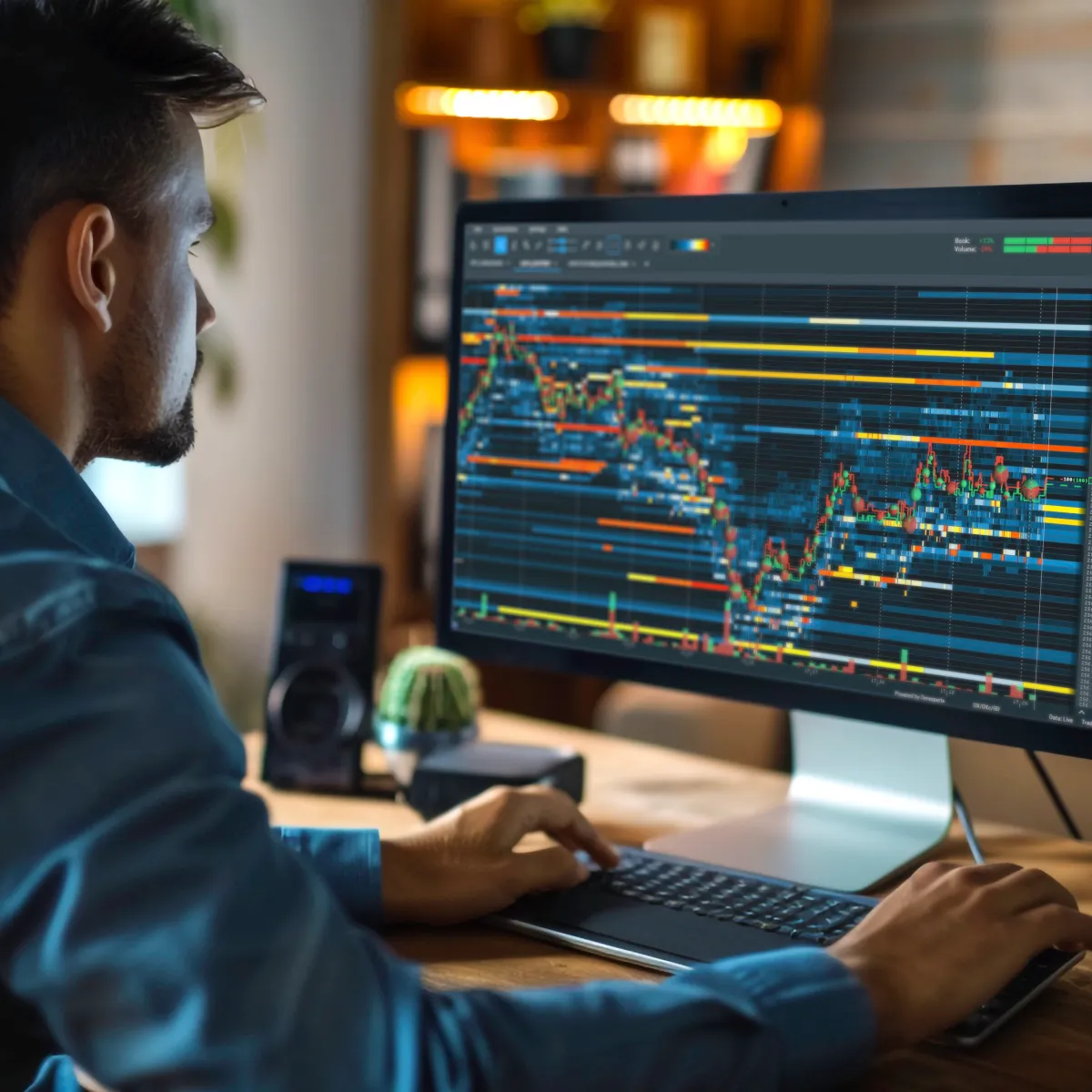
Once data is active, traders connect their account to analysis software. Bookmap integrates with multiple data feeds and brokers to support futures execution and analysis.
Many traders separate execution and analysis at this stage, using one platform for trade placement and another for deeper market insight.
4. Configure the Platform
This includes selecting the instruments you want to trade, adjusting chart settings, and enabling features like market depth, imbalance tools, volume delta, or market-by-order.
Setting up Bookmap is easy! Watch a short video here.
5. Begin with a Small Size
Because futures markets move quickly, most traders begin with micro contracts as they learn to interpret order flow, liquidity patterns, and price behavior.
As traders gain experience, they often expand their workflow by combining brokerage execution with specialized analysis software that provides deeper insight into liquidity, order flow, and market structure. Separating execution from analysis allows greater flexibility as trading requirements evolve.
Why Order Flow Matters in Futures Trading
Traditional charting tools are often not enough for fast-moving markets. Traders interested in order flow analysis visualizations, cumulative delta, or footprint-style charts want insight into:
- Where liquidity sits
- Where large traders are active
- Where limit orders are added or pulled
- How aggressive buyers or sellers are influencing the next move
Order flow gives traders visibility into supply and demand shifts before price moves.
Bookmap is built specifically for this purpose. Its heatmap shows every change to the order book, allowing traders to see levels where liquidity strengthens, weakens, or disappears.
This helps traders identify areas of potential continuation, absorption, reversal, or hidden participation.
In fast-moving futures markets, price alone is often a lagging indicator. Order flow provides context by showing how participants are interacting at each level before price fully reacts.
Features That Help Futures Traders Perform Better
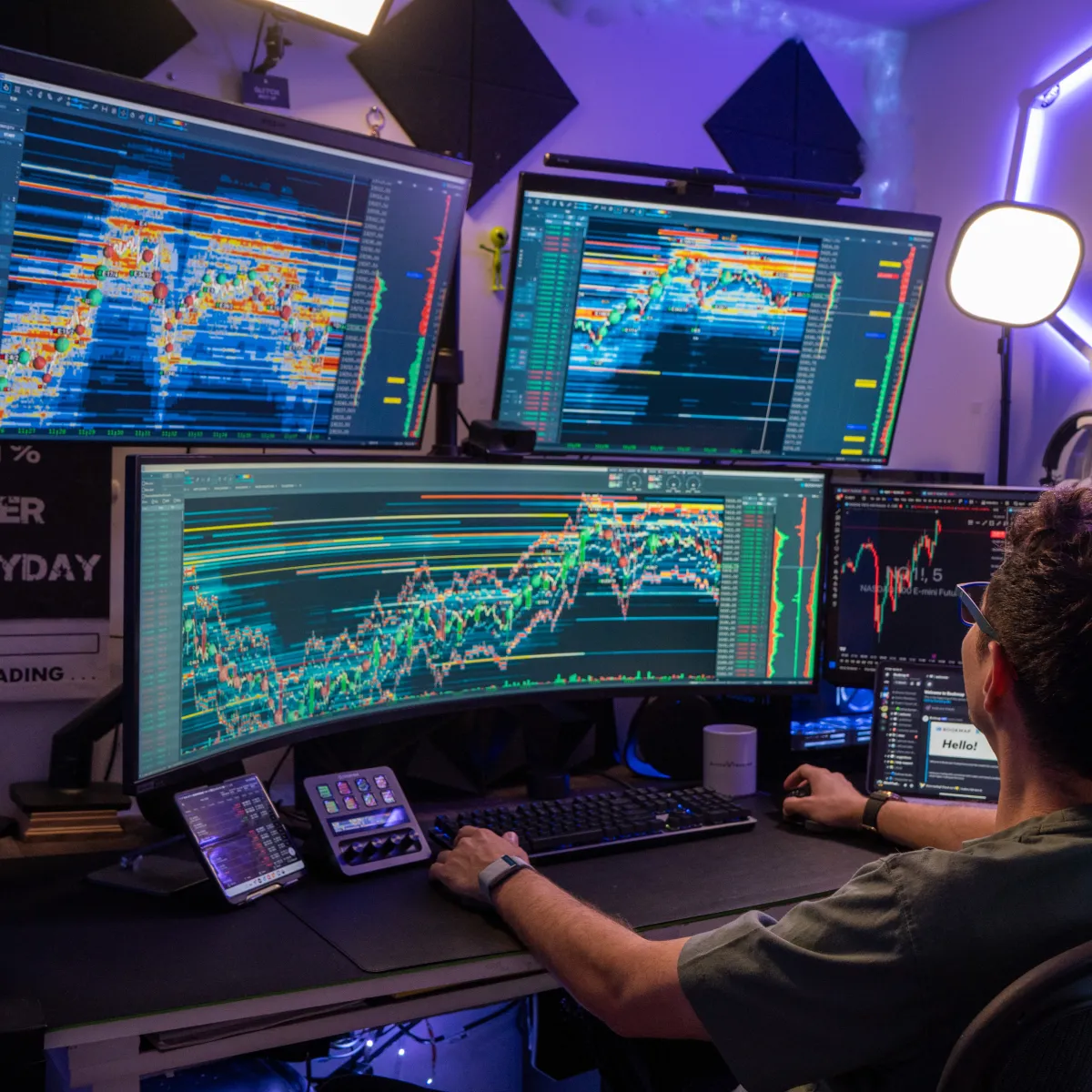
Real-Time Liquidity Visualization
The heatmap shows resting liquidity at every price level, enabling traders to track levels of interest from larger participants.
Full Depth of Market
Bookmap displays depth well beyond the top of the book, providing clarity on pressure building above or below the current price.
Volume Bubbles and Delta
These tools highlight executed trades and reveal whether buyers or sellers are currently in control.
Market-By-Order Support
Where available, traders can see individual order placements and cancellations instead of aggregated levels.
Low Latency
Bookmap is optimized for streaming financial data, with granularity that allows traders to monitor changes that traditional charting software misses.
General Considerations for Choosing a Futures Platform
When selecting a provider, traders often compare:
- Data speed
- Platform stability
- Charting capabilities
- Access to historical data
- Real-time and historical stock market data feeds
- Interface simplicity
- Integration flexibility
Many traders ask questions like:
- Do I need low-latency market data for equities?
- Am I trading commodities, crypto, or equity index futures?
- Should I use a beginner-friendly platform or a professional one?
- Is real-time or historical data more important for my strategy?
Bookmap is designed to serve both beginners and professionals by offering deep insight without unnecessary complexity.
Unbiased Trader Consensus: Best Futures Platform Software
There isn’t a single “best” platform that holds across trading styles, and most experienced traders’ actual setups reflect that — a common pattern among active futures traders is pairing a low-cost execution broker (NinjaTrader/Tradovate or Interactive Brokers, depending on volume and asset mix) with a dedicated order flow and market-depth platform like Bookmap for analysis, rather than expecting one tool to handle both execution and deep visualization well.
The clearest signal across broker and platform reviews is less about which single tool “wins” and more about matching the setup to trading style: beginners prioritizing simplicity and simulation, high-volume scalpers prioritizing commission tiers and latency, and traders relying on order flow prioritizing depth-of-market and heatmap visualization over execution speed alone.
5 Strategic Steps for Setting Up Your Futures Trading Workspace
- Set your default chart and heatmap timeframes before the session starts, rather than adjusting them reactively once the market is already moving.
- Configure margin and risk alerts at the account level, not just visually on the chart, so a margin call risk doesn’t depend on remembering to check a number manually.
- Save separate workspace layouts for different instruments or strategies (e.g., a scalping layout for MES versus a swing layout for a commodity future), rather than reconfiguring the same layout repeatedly.
- Test order types in simulation before relying on them live — the practical behavior of stop, limit, and bracket orders can vary subtly by broker and platform.
- Build your order flow view around the specific instrument’s liquidity profile. A heatmap and depth view tuned for a highly liquid contract like ES won’t necessarily need the same settings on a thinner overnight or less-traded contract.
Bookmap Reviews from Futures Traders
Across trader forums and platform review sites, feedback on Bookmap tends to cluster around a few consistent themes: the heatmap and order flow visualization are generally described as the platform’s strongest differentiator, especially for traders coming from candlestick-only charting; the learning curve is often flagged as real but worthwhile, since reading a heatmap effectively takes practice; and pricing and data-feed setup are the most common early friction points, since Bookmap requires connecting a separate market data subscription rather than bundling one in.
As with any third-party review, treat individual accounts as data points rather than guarantees — checking recent reviews directly on independent platforms gives a more current picture than any single summary, including this one.
FAQ
What makes a platform one of the best for trading futures?
Traders prioritize real-time market data feeds, reliable execution, stable connectivity, and strong analysis tools. Platforms with order flow, liquidity heatmaps, and detailed market depth help traders understand market movement more clearly.
Which asset class are you trading?
Futures platforms vary depending on whether you trade commodities, equity indices, crypto futures, or financial futures. Bookmap supports multiple asset classes depending on your chosen data provider.
Are you looking for a platform for beginners or for professionals?
Beginners benefit from simple execution tools, while professionals often require advanced features such as order flow visualization and market-by-order data. Bookmap offers both high-level insight and an approachable interface.
What features are most important when choosing a futures platform?
Common priorities include low latency, depth of market visibility, integration with brokerage accounts, and the ability to analyze liquidity and order flow in real time.
Can Bookmap be used as a complete futures trading platform?
Bookmap provides advanced analysis tools and can connect to brokers for execution, but it is primarily designed as an in-depth market visualization platform rather than a traditional brokerage interface.
Do futures platforms differ by market?
Yes. Some specialize in equity index futures, others in commodities or crypto futures. Bookmap supports a broad range of markets depending on the trader’s data source.
What if I need real-time or historical equity data?
Your data provider determines the availability of real-time stock prices, historical market data, or integrations such as NASDAQ stock data feeds.
Do you need API connectivity?
Some traders require direct integration with data feeds or execution systems, especially when building automated strategies or custom dashboards.
What is your experience level?
Your platform choice should reflect your experience:
- New traders → prioritize clarity and ease of use
- Experienced traders → prioritize depth, speed, and customization
Are you looking for visual charting utilities or automated order execution systems?
Some traders primarily need advanced charting and market visualization, while others prioritize automated trade execution. Many professional workflows combine both by using one platform for analysis and another for execution.
Do you require advanced Level 2 depth indicators or basic technical analysis tools?
Traditional technical indicators help identify trends and momentum, while Level 2 depth tools provide visibility into real-time liquidity, order book behavior, and market participation. Many active futures traders combine both approaches.
Are you trading short-term micro contracts or hedging long-term commodities?
Different trading objectives require different tools. Active intraday traders often prioritize execution speed and liquidity analysis, while longer-term hedgers typically focus more on broader market trends and risk management.
Do you prefer mobile dashboard tracking apps or professional desktop terminals?
Browser-based and mobile platforms offer flexibility and convenience, while desktop platforms generally provide greater performance, customization, and support for high-volume real-time data analysis.
Are you seeking open-source free programs or premium subscription packages?
Free platforms can be suitable for learning the basics, while premium platforms typically provide more advanced charting, market depth visualization, broker connectivity, and professional-grade analytical tools.
Are you looking for standard candlesticks or advanced order flow volume profiles?
Traditional candlestick charts summarize price movement, while advanced order flow tools provide additional insight into liquidity, executed volume, and market participation. Many traders combine both views to better understand market structure.
Sign Up Now
Latest Articles