Market Profile
What is the Market Profile add-on?
Market Profile is a way to see how the market behaves around price.
It shows where the market spends time and where it moves fast. Prices where the market stays longer are usually important. Prices where it stays very little are usually less important.
The chart is built using time blocks. Each 30 minute period is marked with a letter. If the price trades during that 30 minute period, the letter is printed at that price level.
These letters are called TPO - Time Price Opportunities. When many letters appear at the same price, it means the market accepted that price. When there are only few letters, it means the market rejected that price.
In simple words, Market Profile helps you see:
-
where the market feels comfortable
-
where buyers and sellers agree
-
where price moves quickly away
Traders use this to understand value, balance, and possible areas of support and resistance.
How to set it up
The Market Profile originally was drawn for the Regular Trading Hours (RTH), later, when night sessions were introduced, the profile was also drawn to the Extended Trading Hours (ETH). These days there are Globex sessions as well, some markets are available 24/7, therefore next the RTH and ETH a tertiary session is also introduced in this addon.
First the RTH session is configured as a main session
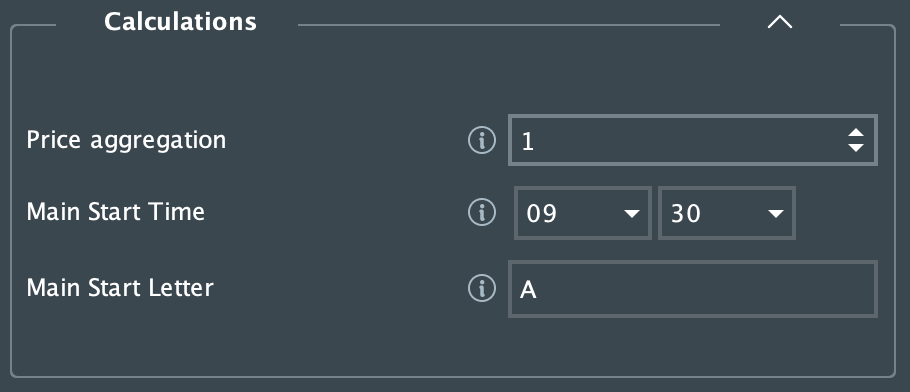
Price Aggregation: manual zoom factor on the price scale, how many prices should be aggregated. For a bird’s eye view higher aggregation is recommended. This aggregation applies to all sessions and to the Volume Profile as well.
Main Start Time: the start time of the RTH session for the particular Market
Main Start Letter: The first TPO to start the RTH profile with
Optionally the secondary and if the secondary is configured, a tertiary session can be enabled and configured
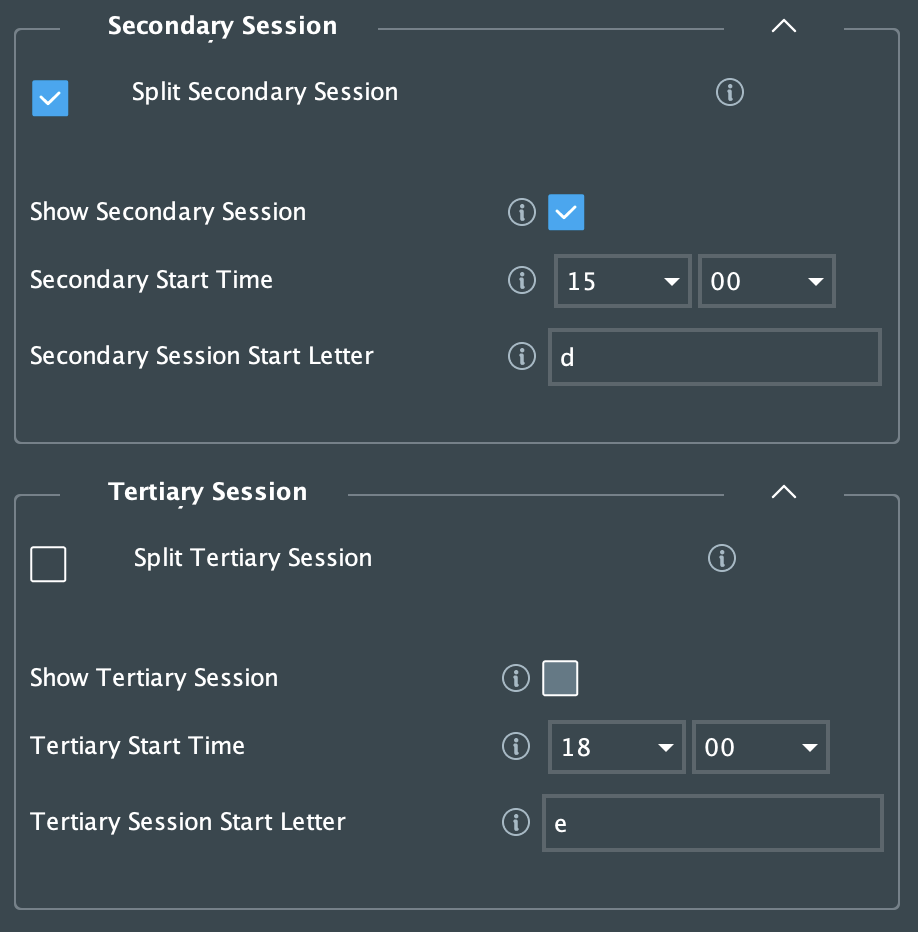
Split Secondary Session: option to split the secondary session into a different profile
Show Secondary Session: option to show the split secondary session (it can remain hid)
Secondary Start Time: start time of the ETH session
Secondary Session Start Letter: The first TPO to start the ETH profile with
Split Tertiary Session: option to split the tertiary session into a different profile
Show Tertiary Session: option to show the split tertiary session (it can remain hid)
Tertiary Start Time: start time of the tertiary session
Tertiary Session Start Letter: The first TPO to start the tertiary profile with
In the following section the TPO visuals can be configured
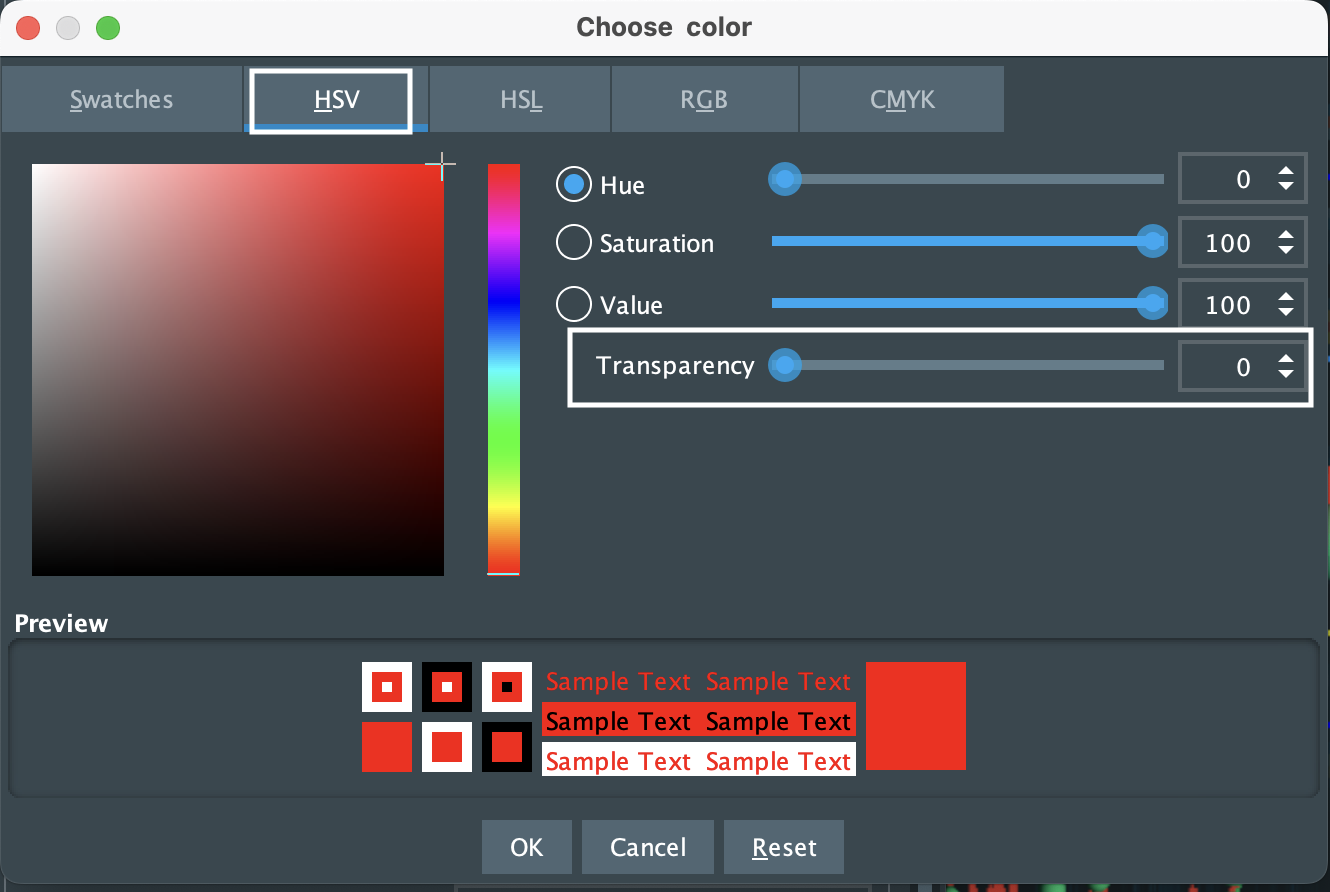
The TPO consist of a block and a letter, which color can be chosen and as all colors, can be made partly or fully transparent in the color chooser
Each TPO letter represents a 30 minutes block and its open price can be highlighted with a different color. The same color will be used for the session close price marker.
The TPO based Point of Control (POC) and the Value Area High and Low lines (VAH, VAL) might also be displayed in a configured color.
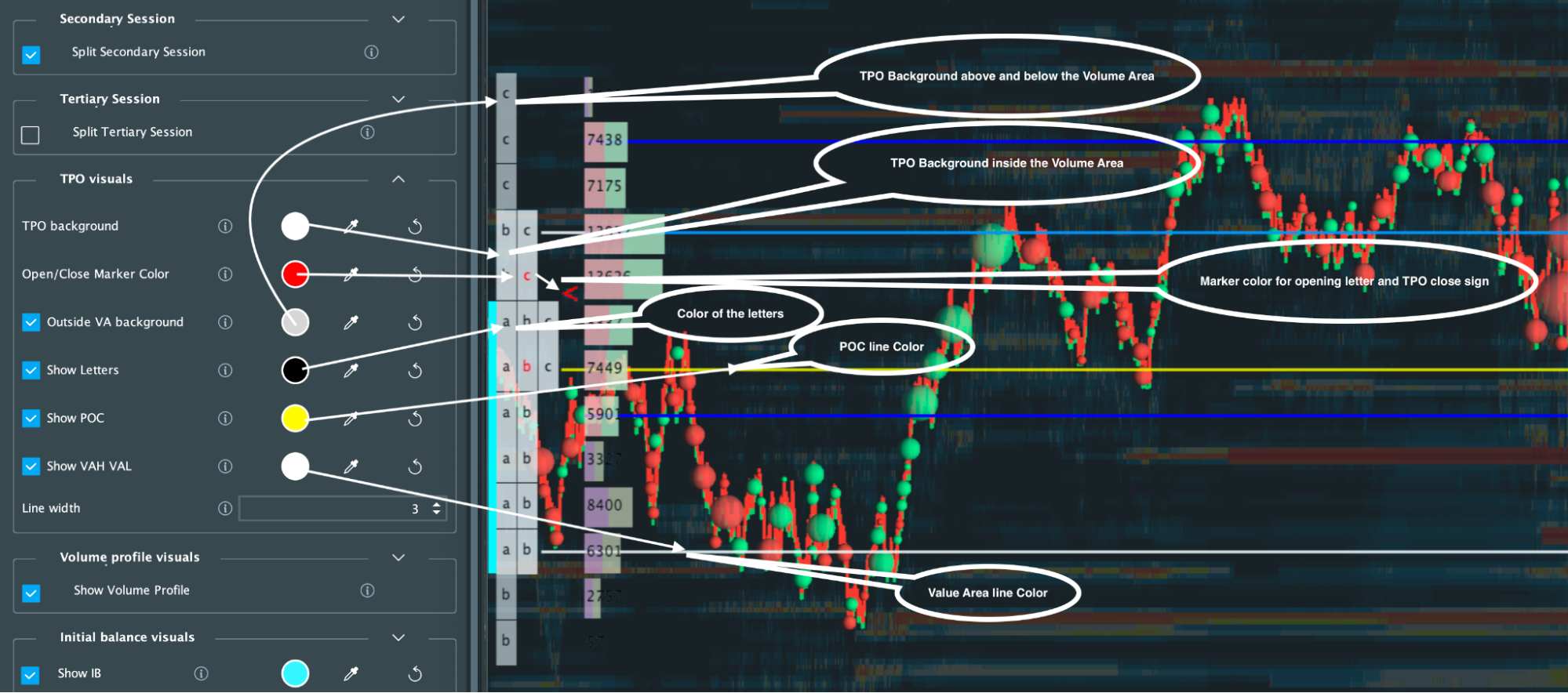
Similar to the TPO profile, the corresponding Volume Profile visuals might be also displayed and configured
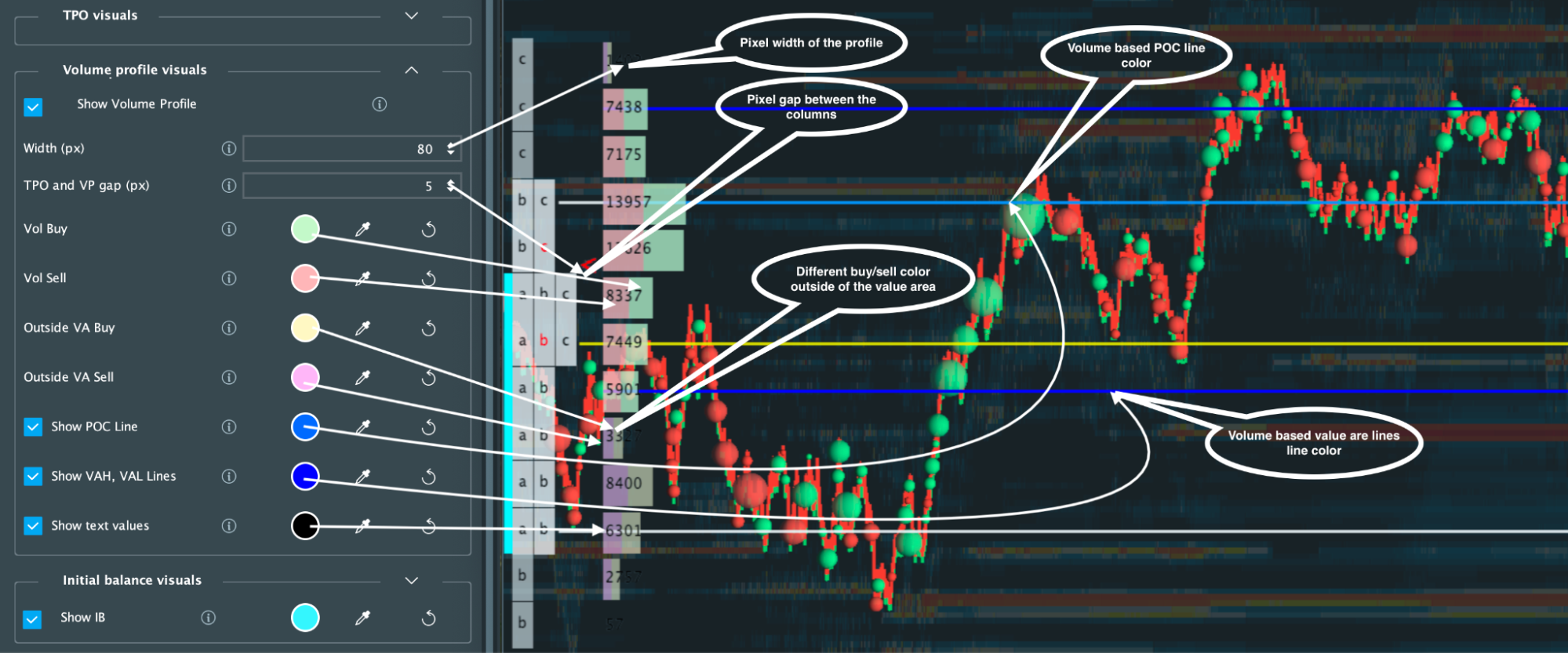
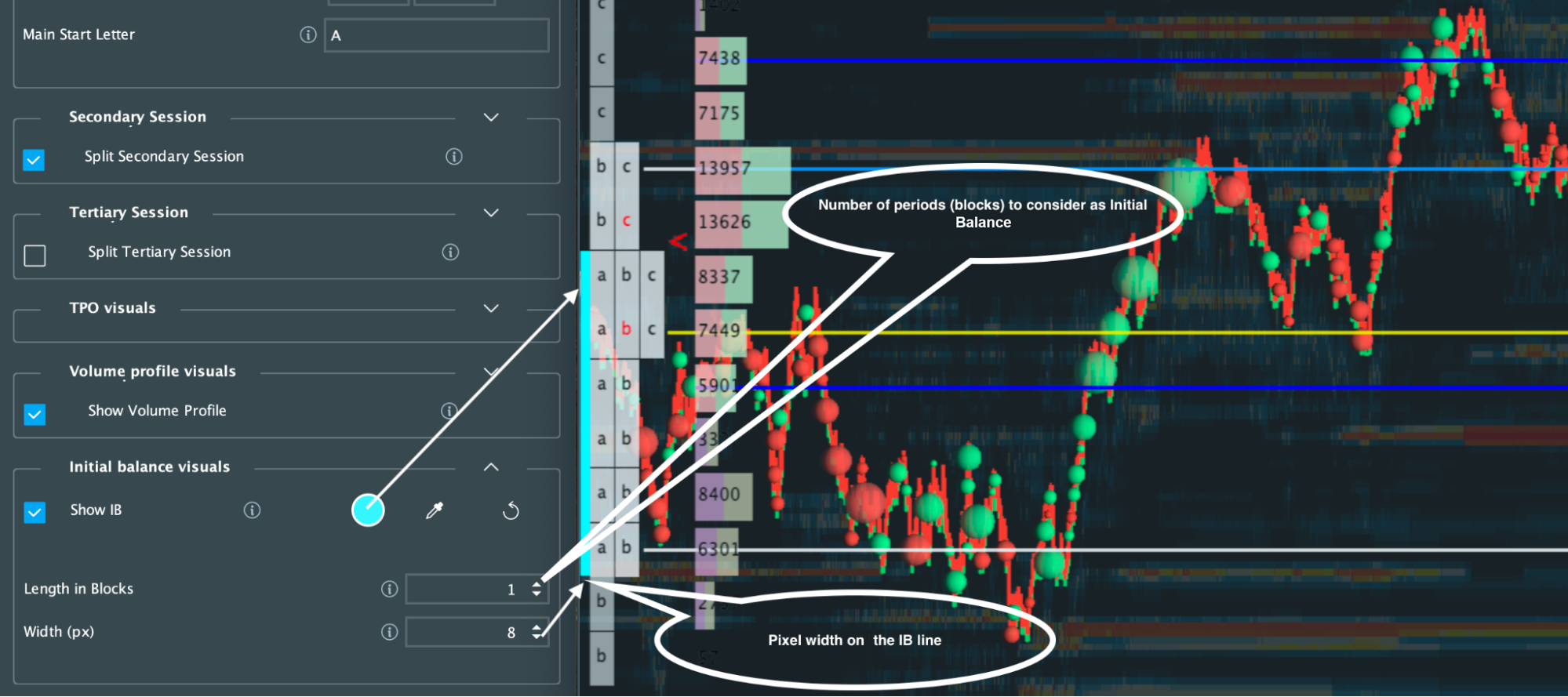
The Initial Balance is the price range of the first couple periods. To allow for personalisation, the number of periods can be chosen and displayed if needed
FAQ
How much does the Market Profile add-on cost?
The Market Profile add-on is part of the Bookmap Global+ package.
You can try it for free with any package in replay mode or with a delayed instrument.
Installation
To install the add-on, simply get latest Bookmap and install it from the Add-ons Manager. If you'd like to learn more about the Add-ons Manager and how it can benefit your experience, please visit the following page.