Breakeven Point Indicator
What is the Breakeven Point Indicator?
Breakeven Point Indicator shows the break-even line on the main chart and its current value on the widget panel.
Assume an investor buys Microsoft stock at $110. That is now their breakeven point on the trade. If the price moves above $110, the investor is making money. If the stock drops below $110, they are losing money.
If the price stays right at $110, they are at the BEP, because they are not making or losing anything.
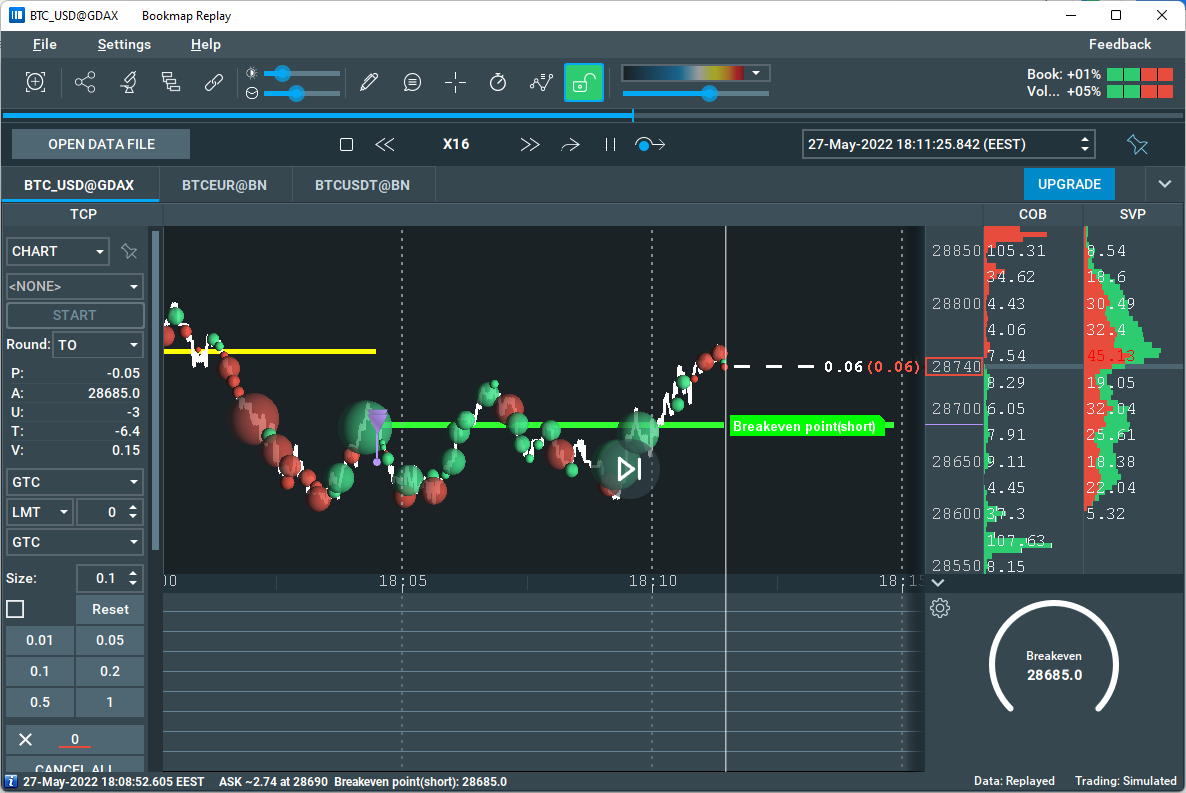
Video Walkthrough - How to use the Breakeven Point Indicator
How to configure the Breakeven Point Indicator
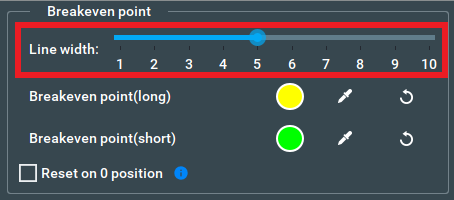
Line width
Using this slider, you can change the width of the break-even line. Changes applied instantly to the line
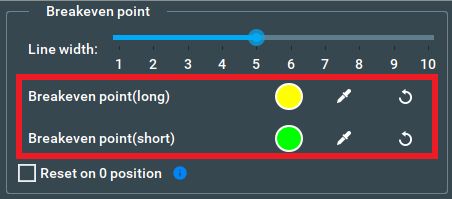
Line color
You can choose the color of the break-even line for short and long positions separately. Changes applied instantly to the line. The default color of the break-even line is yellow for a long position and green for short position.
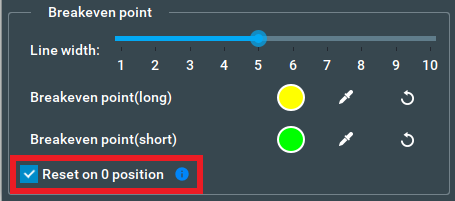
Reset on 0 position checkbox
This checkbox is enabled by default, when selected make this add-on not track your previous gains and losses after your position becomes 0.
For example, if you open a position at $100, close it at $150, and then open the next position at $130, when this checkbox is selected, the breakeven point value will be $130, as previously closed positions don’t affect the current one.
If the checkbox is not selected, it will track the Breakeven point over the session.
With the same example, when this checkbox is not selected, the breakeven point value will be $80, as it takes into account that you gain $50 after closing the previous position.
Commission panel
For Breakeven Point Indicator you can enable commission accounting.
Note: the Breakeven Point add-on when calculating the value for order type commission includes all the fees you already had to pay (based on the values you entered) and the additional fee you will have to pay to close the current position immediately.
Four commission types can be calculated: per contract round turn, per contract one side, per order, and percent from order.
Commission value type:
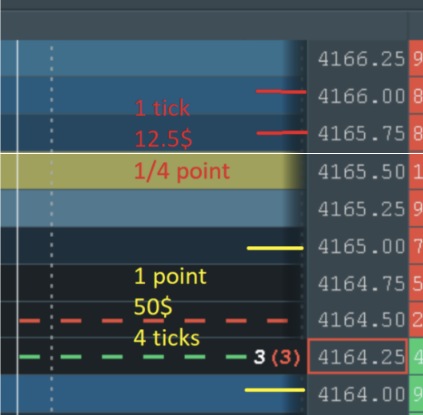
You can also choose the commission value type: either ticks or quote currency. For example, if you trade ESM3 at Rithmic, the price that is shown is in ticks. 1 tick is 12.5$. A "tick" refers to the minimum price movement of a financial instrument, such as a stock, futures contract, or currency pair. It represents the smallest unit of price change for that particular instrument. The tick size varies depending on the instrument and the exchange on which it is traded.
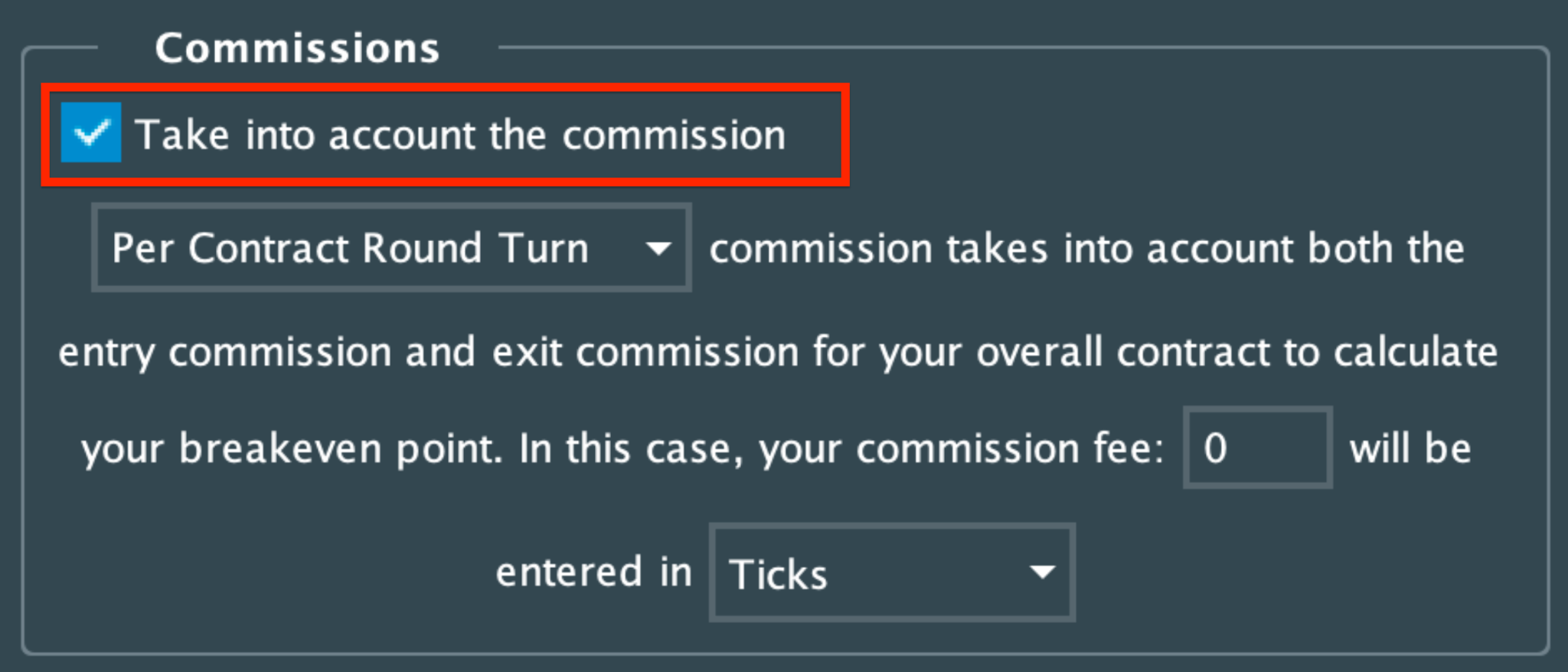
By default commission accounting is turned off, to turn it on you need to select the “Take into account the commission …” checkbox.
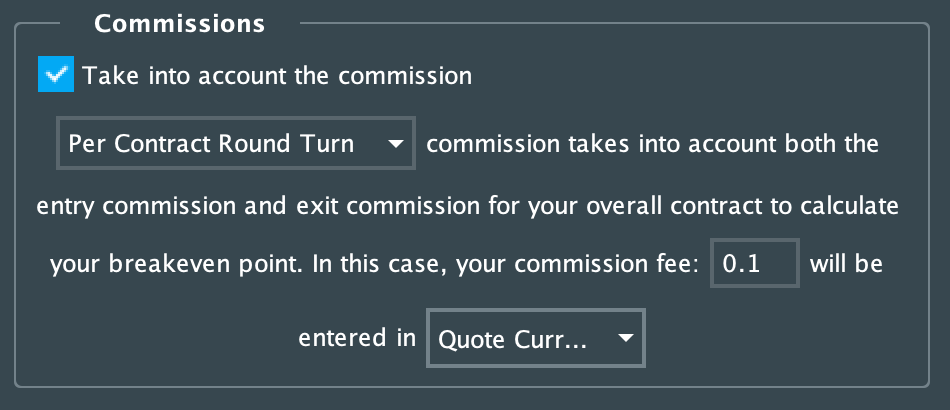
Per contract Round Turn fee
The per contract fee adds a fixed price (fee) to each contract.
The formula used to calculate the breakeven point for this type of commission:

where
bPrice - total buy price,
sPrice - total sell price,
bPosition - total buy position,
sPosition - totals sell position,
aPosition - accumulated position (negative in case of a short position).
For example, you want to buy 100 items. The price of one item is $10 and the commission round turn is $0.10. In this case you would pay $1010 (($10 + $0.1) * 100), with the commission for 100 items plus the commission that you will pay for exit your position, and the break-even point value being $10.10.

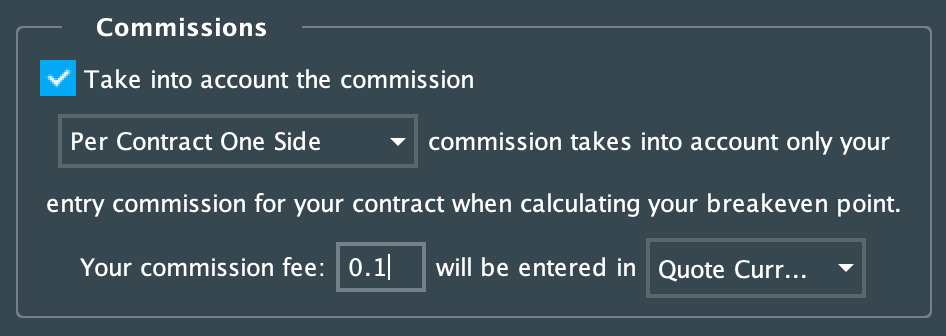
Per contract One side fee
The per contract fee adds a fixed price (fee) to each contract.
The formula used to calculate the breakeven point for this type of commission:
 where
where
bPrice - total buy price,
sPrice - total sell price,
bPosition - total buy position,
sPosition - totals sell position,
aPosition - accumulated position (negative in case of a short position).
For example, you want to buy 100 items. The price of one item is $10 and the commission one side is $0.05. In this case you would pay ($1000 * (100 + 100) * 0.05$) / 100, with the commission for 100 items plus the commission that you will pay for exit your position, and the break-even point value being $10.10.

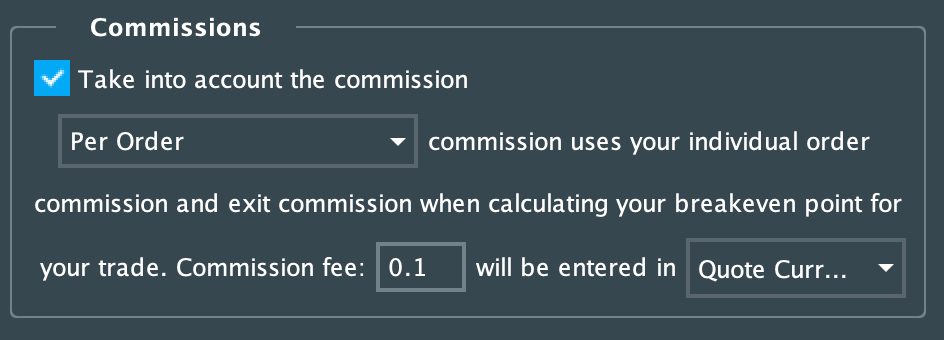
Per order fee
The per-order fee adds a fixed fee to each order, that can contain an indefinite number of contracts.
The formula used to calculate the breakeven point for this type of commission:

where
bPrice - total buy price,
sPrice - total sell price,
aPosition - accumulated position (negative in case of a short position).
For example, the per-order fee is $5, and you want to buy 100 items at $10 each. If you make two sequential orders for 50 items each, you will pay $1010 (($10 * 50 + $5) + ($10 * 50 + $5)) with the commission, and the break-even point value will be $10.15.

But if you make one order for 100 items, you will pay $1005 ($10 * 100 + $5) with the commission, and the break-even point value will be $10.10.

Percent from order fee
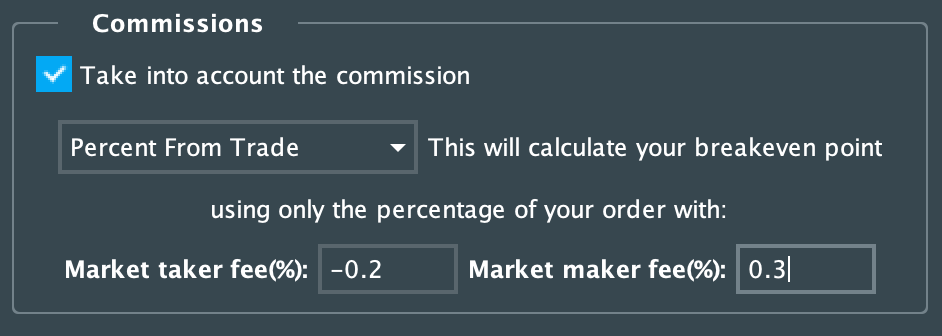
The percent from order fee distinguishes different fees for the market maker and market taker and takes commission based on the value of the order. The range of acceptable values for these fields is from -100% to 100% inclusive.
Note that the additional fee is calculated with the value for the market-taker, as it means the fee you will have to pay to immediately close the current position.
The formula used to calculate the breakeven point for this type of commission:
For long position:

For short position:

where
bPrice - total buy price,
sPrice - total sell price,
tmmPrice - total price gained or paid(gain + paid) as a market maker,
mmFee - market maker fee,
tmtPrice - total price gained or paid(gain + paid) as a market taker,
mtFee - market taker fee,
aPosition - accumulated position (negative in case of a short position).
For example, the market maker fee is -0.2%, the market taker fee is 0.3% and the price of one item is $10. If you buy/sell 100 items as a market maker you will pay/gain $998 ($10 * 100 * (1 - 0.002)) / $1002 ($10 * 100 * (1 + 0.002)), and break-even point value will be:

And if you buy/sell 100 items as a market taker you will pay/gain $1003 ($10 * 100 * (100% + 0.3%)) / $997 ($10 * 100 * (100% - 0.3%)), and break-even point value will be:

Feedback
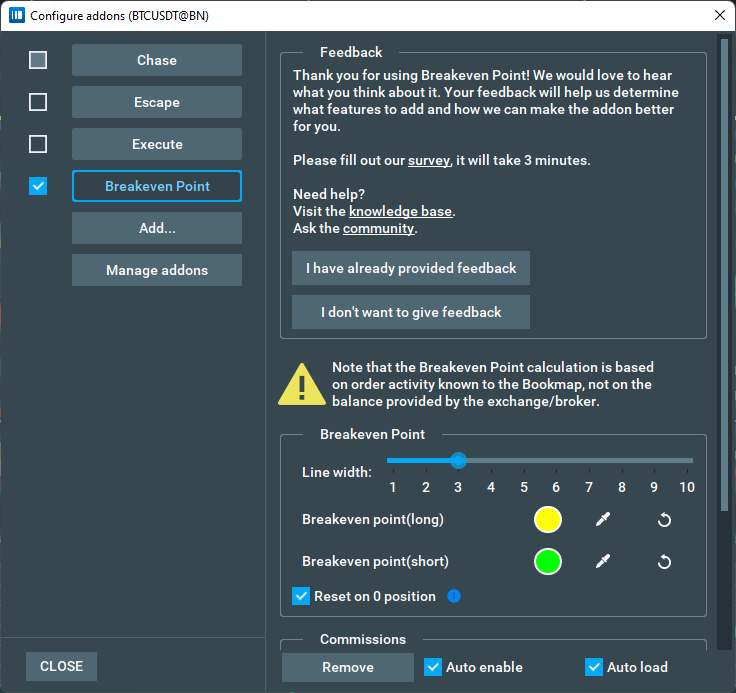
We are constantly working on our add-ons to make them better, and we need your feedback. After an hour of using the add-on, you'll see a message in the add-on settings panel. In it, you'll find links to our survey and help resources.
Cross-trading
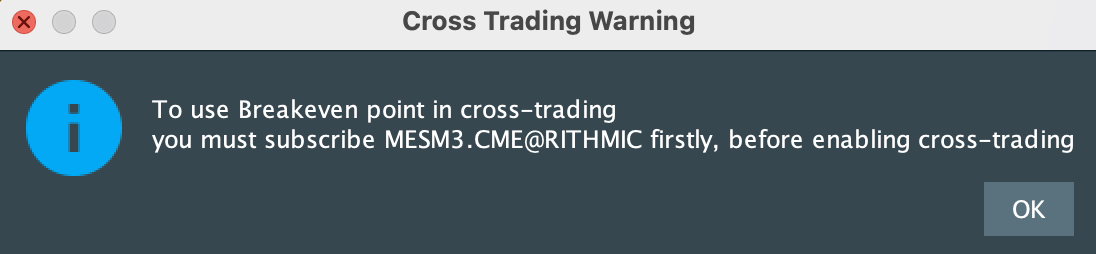
You can use the Breakeven Point Indicator with cross-trading, however you will need to subscribe to a cross-traded instrument first. If you don’t do this you will get a pop-up window as seen below, and your commission for the cross-traded instrument would not be recalculated.
To configure Breakeven Point Indicator for a cross-traded instrument you need to find its tab and configure the indicator there. Then, go back to the main instrument tab to see all the changes for Breakeven Point Indicator.
FAQ
Can I input a negative commission?
Only in “percent from order” mode.
When using the "percentage of order" commission type, can the add-on distinguish when a limit order is executed as a market maker or a market taker?
Yes, it can distinguish them, but for now, 100% accuracy is not guaranteed, so it is not recommended to use limit orders as marker orders when using this add-on with this commission type.
How does add-on work with stop and stop limit orders?
- Stop order when executed treated as a market order.
- Stop limit order when executed treated as a limit order.
How to Install the Breakeven Point Indicator
To install the Breakeven Point Indicator, simply get Bookmap 7.4 and install it from the Add-ons Manager.
This add-on takes advantage of the new Add-ons Manager feature, which simplifies both the installation and updating process. If you'd like to learn more about the Add-ons Manager and how it can benefit your experience, please visit the following page.
Versions changelog
1.4.0
- Improvement: Per contract commission system updated to include Per contract Round Turn and Per Contract One Side features.
- New Feature: Added dropdown menu for selecting the commission value type: Ticks and Quote Currency.
- New Feature: Added the ability to use the add-on in cross-trading mode.
- Improvement: Updated and streamlined the Commission panel UI.